Set your quote defaults
Choose the sales tax, deposit, how long quotes stay valid and the payment terms every new quote starts with.
Type your usual tax rate, deposit and terms once, and every new quote starts with them. You can still change them on any quote.
Set your defaults
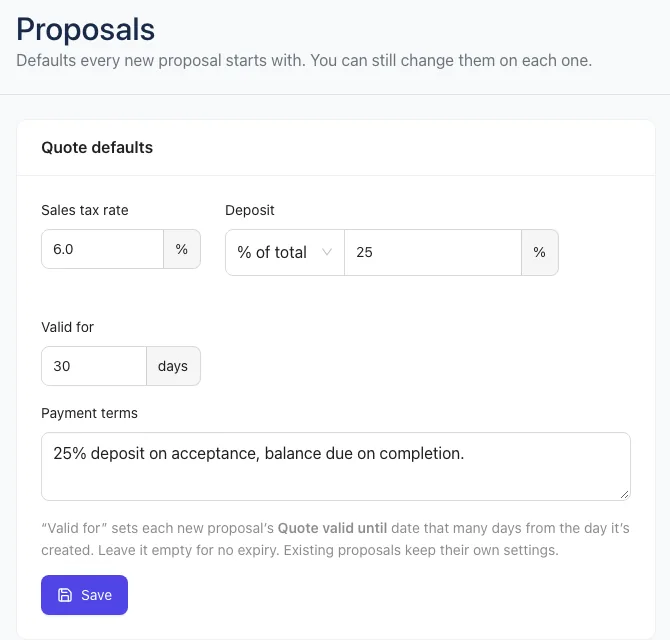
- Open Settings → Proposals.
- In Quote defaults, enter your Sales tax rate as a percentage, like 6.
- Under Deposit, pick None, $ amount or % of total, then enter the number.
- In Valid for, enter how many days a new quote stays open to sign. Leave it empty for no expiry.
- In Payment terms, type the line your customer reads under the total, like "25% deposit on acceptance, balance due on completion."
- Click Save.
You need a role with Business settings (Owners have it). Others can see the page but can't change it.
How they're used
- New quotes, quotes from a template and quotes made from a request all start with these.
- Valid for sets each new quote's Quote valid until date that many days from the day you create it. See Deposits, expiration and revisions.
- Changing a default never changes quotes you've already made. Each quote keeps its own settings.
Tip: On plans with high-value quote alerts, the same page has a High-value quote alerts card. See High-value quote alerts.