The activity log
See who signed in and what changed in your account: people, roles, payments setup, your plan, and when Hello to Paid support opened your account.
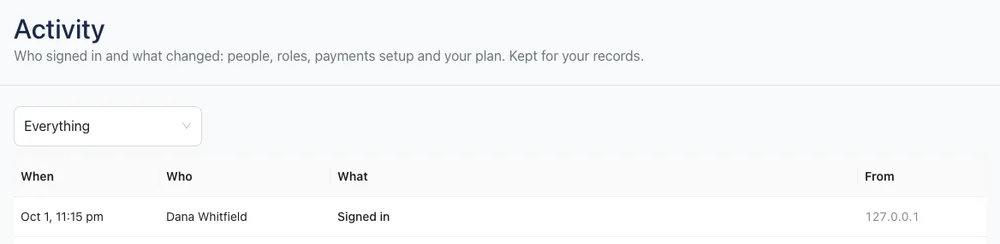
Settings → Activity is your account's record of sign-ins and important changes. Use it to check who did what, or to spot a sign-in you don't recognize.
You need the Team & roles permission to see it (Owners have it).
What's recorded
- Sign-ins & sessions: each sign-in, and failed or blocked sign-in attempts.
- People: someone added, changed, deactivated or removed.
- Roles: roles created, changed or deleted.
- Payments setup: Stripe connected or disconnected, and payment settings changed.
- Plan & account: changes to your Hello to Paid plan and account.
- Support access: when Hello to Paid support opened your account to help you. These rows have a Support tag.
Each row shows When, Who, What changed (with the before and after values) and From, the IP address it came from. Hover over the IP address to see the browser or app.
Risky changes, like a failed sign-in, removing someone or disconnecting Stripe, are shown in red.
Find something
- Use the menu at the top to show Everything or just one kind, like Sign-ins & sessions.
- Click Show older at the bottom to load more.
Passwords and card details are never recorded.
Tip: See a sign-in you don't recognize? Change your password in Account settings and click Sign out everywhere else. See Change your password and email.