Connect Stripe payments
Connect your own Stripe account so customers can pay deposits and invoices by card. Money goes straight to your bank.
Customers pay by card on a secure Stripe page, and the money goes into your own Stripe account and then to your bank. Setup takes about 5 minutes.
Connect Stripe
- Open Settings → Payments. The page is called Payment methods.
- In the Card payments box, click Connect Stripe.
- On Stripe's site, create a Stripe account (or sign in to the one you have) and verify your business and bank details.
- When you finish, Stripe sends you back to Hello to Paid.
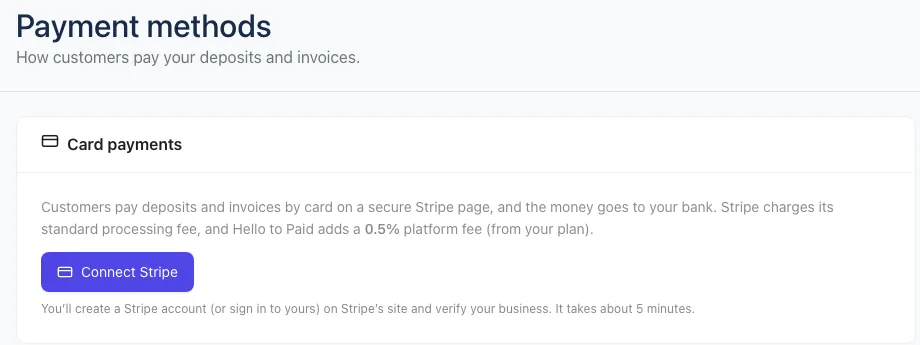
When it's done you'll see Card payments are on. A Pay by card option then shows up for customers on accepted quotes (for the deposit) and on invoices.
If it says setup isn't finished
- Finish setting up Stripe to take card payments: Stripe still needs something from you. The box lists what's missing. Click Continue Stripe setup.
- Stripe is verifying your details: you've done your part. This usually takes a few minutes, and card payments turn on by themselves when it's done. Click Check again to look.
Fees
- Stripe's processing fee. Stripe charges its standard card fee, and it comes out of your Stripe account. You pay it to Stripe directly.
- Hello to Paid fee. A small percentage of each online payment, based on your plan: Starter 1%, Pro 0.7%, Growth 0.5%. The Card payments box shows your rate.
Payments you take outside Stripe (check, cash, Zelle, Venmo, PayPal) have no Hello to Paid fee. More detail in Fees explained.
Your Stripe account is yours
You get your own full Stripe Dashboard for payouts, refunds and reports. Click Open Stripe Dashboard in the Card payments box to go there.
Disconnect stops card payments in Hello to Paid. Your Stripe account and its history stay as they are.
Also take Zelle, Venmo, PayPal or checks
The same page has more ways to get paid:
- Zelle, Venmo & PayPal: type your Zelle email or phone, your Venmo username or your PayPal.me name, and click Save next to it. See Zelle, Venmo and PayPal.
- Anything else (check, cash, bank transfer): click Add method, enter a Label (like "Check") and Pay-to instructions (like who to make it out to and where to mail it), then click OK.
Customers see these next to the card option. You mark those payments received yourself. See Record a payment.
Next step: Add your first customer.