Breaks and time types
Take a break without clocking out, and switch between on-site, travel and shop time from the Today clock.
Included on the Growth plan. Compare plans New and rolling out: if you don’t see it yet, ask us to switch it on.
With breaks and time types, the clock card on Today does more than in and out: you can take a break and change what kind of time you're clocking.
Clock in with a time type
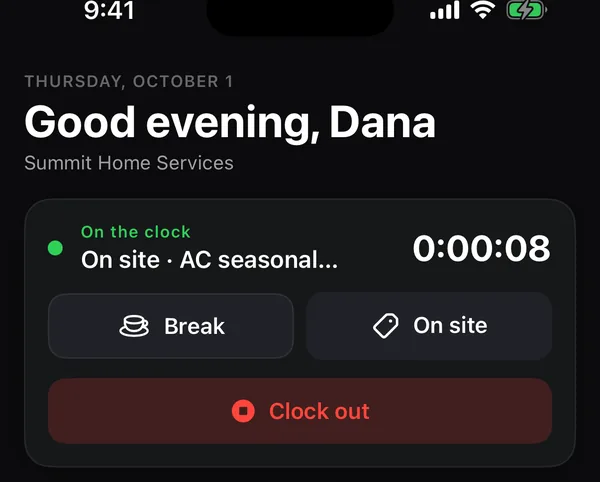
Tap Clock in and pick one of your business's time types, such as On site, Travel or Shop. Types marked (unpaid) don't count toward paid hours. The office sets the list on the web.
Take a break
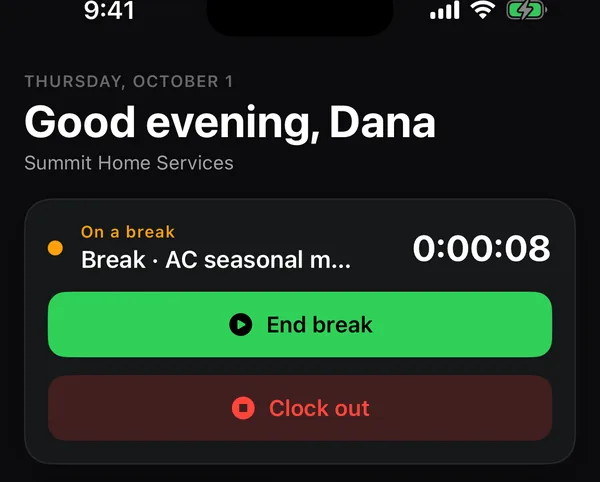
- Tap Break. The card turns orange and says On a break.
- When you're back, tap End break. Your clock goes back to the kind of time you had before.
Switch the kind of time
While you're clocked in, tap the button next to Break (it shows the current type, like On site) and pick another. Your clock keeps running; the time is split at the moment you switch. You don't need to clock out first.
On your timesheet
Under More → Timesheets, the week shows your total hours and your Paid hours, after unpaid breaks and unpaid time types. See Timesheets and expenses in the app.