Add the Today widget
See your next visit on your Home Screen or Lock Screen without opening the app.
The Today widget shows your next visits today and, if your role sees money, what you've collected this month.
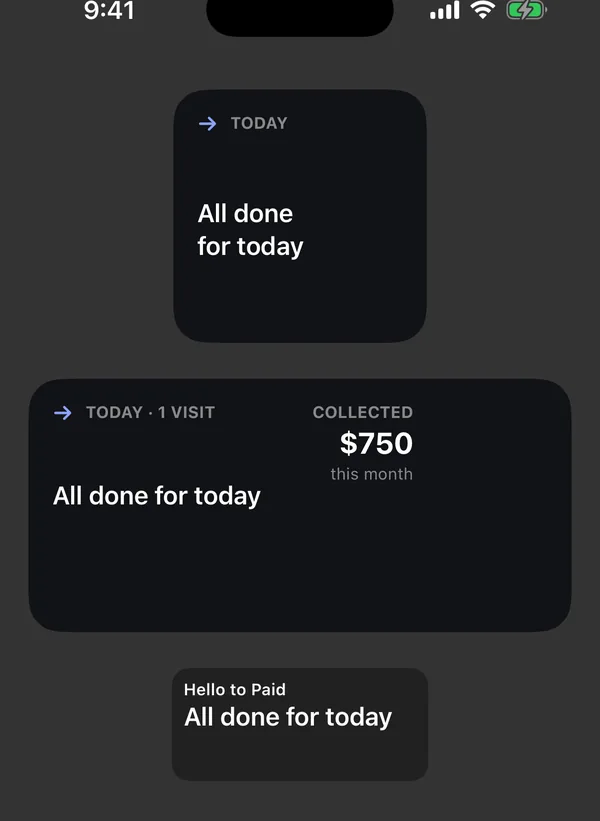
Sizes
| Size | What it shows |
|---|---|
| Small | Your next visit: time, customer and address, and how many more after it. |
| Medium | Today's visit count, your next visits, and Collected this month if you see money. |
| Lock Screen (rectangle) | Your next visit's time, customer and address. |
| Lock Screen (one line) | Your next visit's time and customer. |
When there's nothing left, it says All done for today or Nothing scheduled today. If you're signed out, it says Sign in to Hello to Paid. It updates about every 30 minutes and after each visit ends. Tap it to open the app.
Add it to your Home Screen
- Touch and hold an empty spot on your Home Screen until the apps jiggle.
- Tap Edit (or +), then Add Widget.
- Search for Hello to Paid, pick a size and tap Add Widget.
Add it to your Lock Screen
- Touch and hold the Lock Screen, then tap Customize.
- Tap Lock Screen, then tap the widget area.
- Pick Hello to Paid and choose a size.
Tip: The widget only shows your own visits, even for owners.